

क्या आप जानते हैं कि भारत में एक घंटे की website downtime से व्यापारियों को लाखों रुपये का नुकसान हो सकता है? एक छोटे business के लिए भी यह खर्च ₹5,000 से ₹50,000 तक हो सकता है। यह ठीक वैसे ही है जैसे आपकी दुकान अचानक बंद हो जाए और ग्राहक बाहर खड़े रह जाएं।
आज के digital युग में, खासकर 2025-26 में, Website Maintenance एक luxury नहीं बल्कि जरूरत बन गया है। जैसे आप अपनी गाड़ी की regular servicing करवाते हैं, अपने घर की सफाई करते हैं, वैसे ही आपकी website को भी नियमित देखभाल की जरूरत होती है।
भारत में अब 70 करोड़ से ज्यादा internet users हैं। Flipkart, Swiggy और Zomato जैसी companies अपनी websites को हमेशा updated रखती हैं क्योंकि वे जानती हैं कि एक छोटी सी technical problem भी customers को competitors के पास भेज सकती है।
इस blog में हम आपको बताएंगे कि Website Maintenance क्या है, क्यों जरूरी है और 2026 में अपनी website को कैसे maintain करें। हम simple Hindi में समझाएंगे कि आपको कौन से काम daily, weekly और monthly करने चाहिए। चाहे आप Mumbai का एक startup चला रहे हों या Delhi का retail business, यह guide आपके लिए है।
- 1. Understanding Website Maintenance: What It Really Means
- 2. Website Security Maintenance: Protecting Your Digital Asset
- 3. Website Performance Optimization: Speed Matters
- 4. Content Management and Updates
- 5. Technical Website Maintenance Tasks
- 6. SEO Maintenance for Better Rankings
- 7. Creating Your Website Maintenance Schedule
- 8. Common Website Maintenance Mistakes to Avoid
- Conclusion
- FAQs
- Maintain Your Website with Ameazia
1. Understanding Website Maintenance: What It Really Means
1.1 What is Website Maintenance?
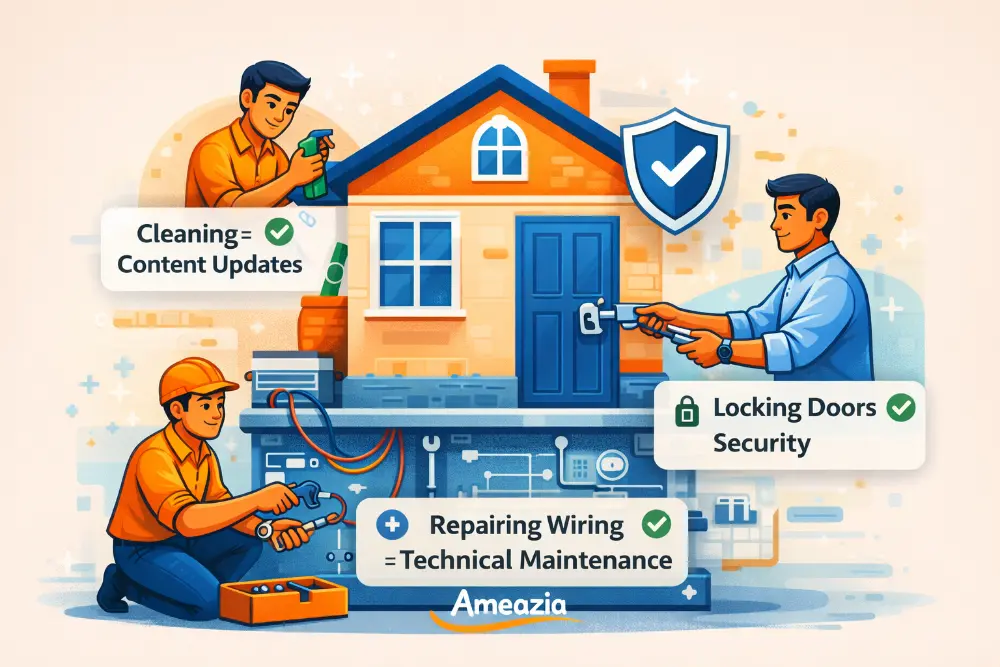
Website Maintenance का मतलब है अपनी website को healthy, safe और updated रखना। यह बिल्कुल वैसा ही है जैसे आप अपने mobile phone को charge करते हैं, apps update करते हैं और unnecessary files delete करते हैं।
एक website में बहुत सारे parts होते हैं – content, images, database, security features और technical code. Website Maintenance इन सभी चीजों को सही तरीके से चलाने का काम है। उदाहरण के लिए, अगर आप Indore में एक restaurant चलाते हैं और आपकी website पर पुराना menu है, तो customers confused हो सकते हैं। यह maintenance का हिस्सा है।
1.2 Why Regular Website Maintenance is Critical
भारत में अब हर business online जा रहा है। UPI payments, online shopping और digital services बढ़ रहे हैं। ऐसे में अगर आपकी website slow है, crash हो जाती है या hack हो जाती है, तो आपका business reputation खराब हो सकता है।
Regular Website Maintenance से आपकी site fast चलती है, Google पर अच्छी ranking मिलती है और customers को अच्छा experience मिलता है। जैसे Tata Motors अपनी cars की regular service recommend करता है, वैसे ही आपकी website को भी नियमित maintenance चाहिए। इससे बड़ी problems से बचा जा सकता है और पैसे की बचत होती है।
1.3 Types of Website Maintenance Tasks
Website Maintenance कई तरह के होते हैं।
- पहला है Security Maintenance – जिसमें आप अपनी site को hackers से बचाते हैं।
- दूसरा है Performance Maintenance – जिसमें speed और loading time improve करते हैं।
- तीसरा है Content Maintenance – जिसमें आप articles, images और information update करते हैं।
- चौथा है Technical Maintenance – backups, hosting और domain से related काम।
- पांचवा है SEO Maintenance – ताकि आपकी website Google पर दिखे।
हर type का अपना importance है, जैसे थाली में हर dish की अपनी जगह होती है।
2. Website Security Maintenance: Protecting Your Digital Asset
2.1 Regular Security Updates and Patches
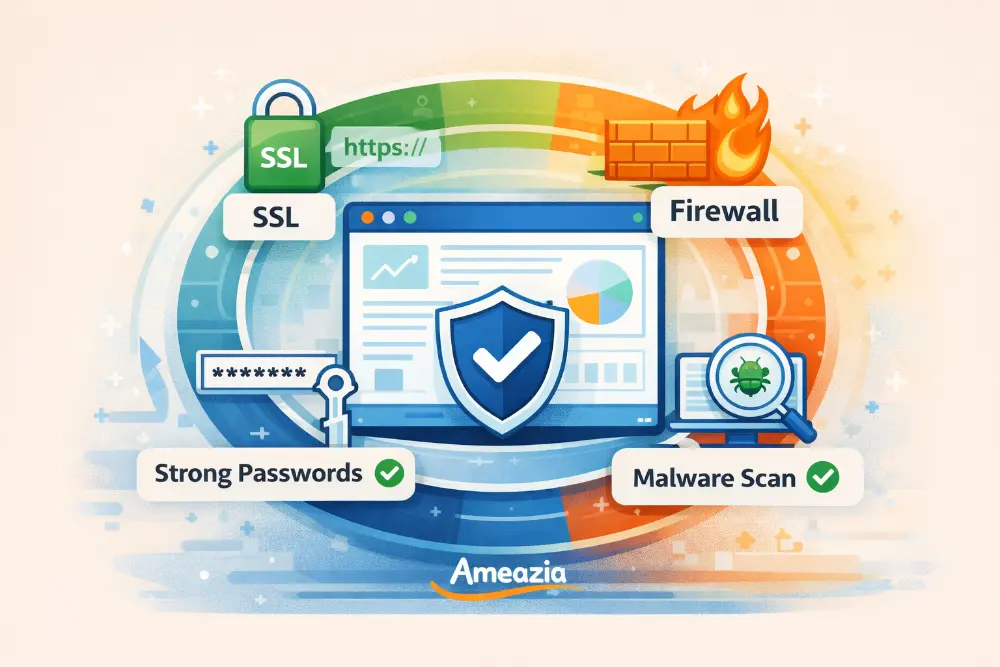
Security updates बिल्कुल वैसे ही हैं जैसे आप अपने घर के ताले बदलते हैं या मजबूत दरवाजे लगाते हैं। Maintenance में website security सबसे important है क्योंकि cyber attacks हर दिन बढ़ रहे हैं। भारत में हर साल हजारों websites hack होती हैं।
WordPress, PHP और plugins जैसे software में security holes हो सकते हैं। Companies इन्हें fix करके updates release करती हैं। आपको इन updates को तुरंत install करना चाहिए। यह ऐसा है जैसे WhatsApp का नया version आता है तो आप update करते हैं। अगर आप ignore करेंगे, तो hackers आपकी site में घुस सकते हैं, customer data चुरा सकते हैं या malware डाल सकते हैं।
2.2 SSL Certificate Management
SSL certificate वह green padlock है जो browser में दिखता है। यह बताता है कि आपकी website safe है। जब कोई customer आपकी site पर UPI payment करता है या personal details भरता है, SSL उस data को encrypt करता है।
Google भी उन websites को prefer करता है जिनमें SSL हो। आपको अपना SSL certificate regularly renew करना होगा, usually हर साल। यह Website Maintenance का basic part है। बिना SSL के, browsers आपकी site को “Not Secure” दिखाएंगे और customers trust नहीं करेंगे। यह वैसा ही है जैसे दुकान में “ISI certified” या “FSSAI approved” sticker होना जरूरी है।
2.3 Malware Scanning and Removal
Malware यानी harmful software जो आपकी website को नुकसान पहुंचा सकता है। यह virus की तरह है जो computer में फैलता है। Website Maintenance में regular malware scanning जरूरी है।
आप free tools जैसे Sucuri या Wordfence use कर सकते हैं। ये tools आपकी website को daily scan करते हैं और suspicious activity पर alert देते हैं। अगर malware मिल जाए, तो तुरंत remove करना चाहिए। यह बिल्कुल वैसा है जैसे आप अपने phone में antivirus रखते हैं। Indian businesses के लिए यह और भी important है क्योंकि cyber criminals specifically छोटे businesses को target करते हैं जो security को लेकर careless होते हैं।
2.4 Strong Password Policies and Two-Factor Authentication
Weak passwords website security का सबसे बड़ा दुश्मन हैं। “123456” या “password” जैसे simple passwords use करना खतरनाक है। आपको strong passwords बनाने चाहिए – जैसे “Mera$ite@2026#Delhi”।
Two-Factor Authentication (2FA) एक extra security layer है। जब आप website में login करते हैं, तो password के साथ-साथ आपके mobile पर एक OTP भी आता है। यह बिल्कुल bank account की तरह है – ATM card और PIN दोनों चाहिए। Website Maintenance के दौरान सभी admin accounts पर 2FA enable करें। अपने team members को भी समझाएं कि हर 3-4 महीने में passwords change करें और किसी के साथ share न करें।
3. Website Performance Optimization: Speed Matters
3.1 Page Speed Testing and Improvement
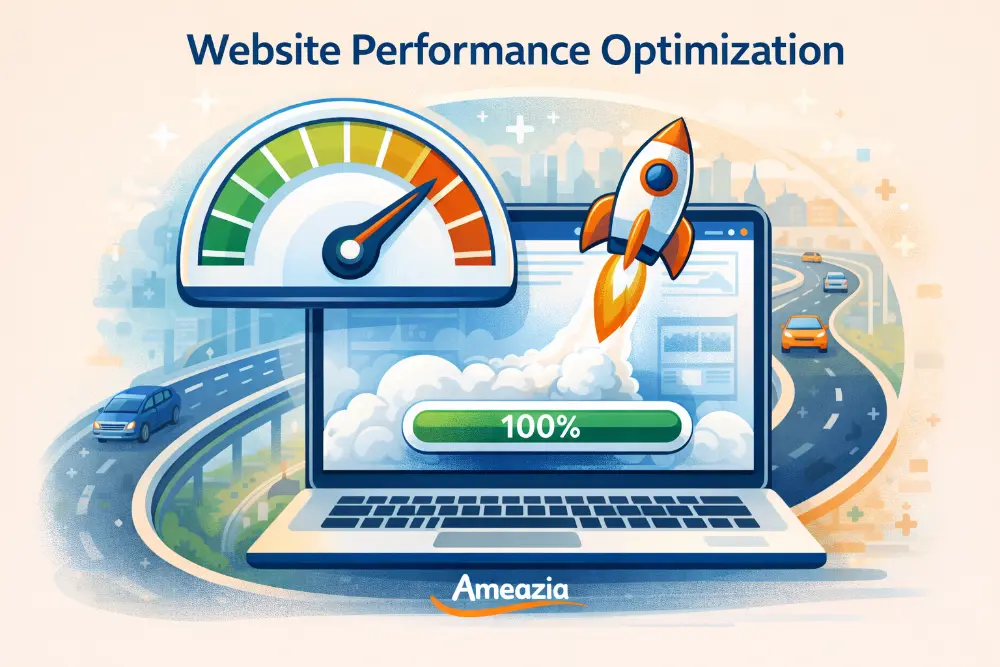
भारत में internet speed अभी भी कई जगहों पर slow है। अगर आपकी website 5-6 seconds में load नहीं होती, तो 50% visitors चले जाएंगे। यह वैसा ही है जैसे restaurant में order करने के बाद 30 minute wait करना – आप दूसरी जगह चले जाएंगे।
Website Maintenance में speed optimization regular करना चाहिए। Google PageSpeed Insights या GTmetrix जैसे free tools use करें। ये tools बताते हैं कि आपकी site कितनी fast है और क्या improve करना है। Heavy images, unnecessary plugins और outdated code site को slow बनाते हैं। Jio और Airtel की network speed अलग-अलग areas में vary करती है, इसलिए आपकी website सभी conditions में fast होनी चाहिए।
3.2 Image Optimization for Faster Loading
Images आपकी website को attractive बनाती हैं लेकिन अगर size बड़ी हो तो loading slow हो जाती है। यह ऐसा है जैसे आप WhatsApp पर original quality में photo भेजें – बहुत समय लगता है।
Website Maintenance करते समय सभी images optimize करें। 5MB की image को 100-200KB तक reduce किया जा सकता है बिना quality खराब किए। TinyPNG या ImageOptim जैसे tools use करें। Web के लिए सही format चुनें – photos के लिए JPEG और logos के लिए PNG. अगर आप e-commerce site चलाते हैं जैसे Myntra या Nykaa, तो product images को optimize रखना बहुत जरूरी है। Lazy loading भी enable करें – मतलब images तभी load हों जब user scroll करे।
3.3 Database Optimization and Cleanup
आपकी website का database एक गोदाम की तरह है जहां सारा data store होता है। समय के साथ यह database बेकार चीजों से भर जाता है – old comments, revisions, spam, trash items. यह वैसा ही है जैसे आपके computer में unnecessary files जमा हो जाती हैं।
Website Maintenance में monthly database cleanup जरूरी है। WordPress के लिए WP-Optimize plugin अच्छा है। यह automatically old data clean करता है और database को optimize रखता है। इससे आपकी website fast चलती है और hosting space भी बचता है। जैसे आप घर में spring cleaning करते हैं, वैसे ही database की सफाई भी important है।
3.4 Caching Solutions for Indian Audiences
Caching का मतलब है आपकी website के pages को temporarily save करना ताकि बार-बार load न करना पड़े। यह तैयार खाना रखने जैसा है – हर बार cooking करने से बेहतर है ready food गर्म करना।
Indian audiences के लिए caching बहुत important है क्योंकि यहां internet speed और data की limitations हैं। Website Maintenance में WP Super Cache या W3 Total Cache जैसे plugins install करें। CDN (Content Delivery Network) भी use कर सकते हैं जो आपकी website को दुनियाभर के servers पर store करता है। जब Bangalore का कोई user site खोलता है तो nearest server से load होता है। यह Swiggy की तरह है – local delivery center से order पहुंचता है, warehouse से नहीं।
4. Content Management and Updates
4.1 Regular Content Audits
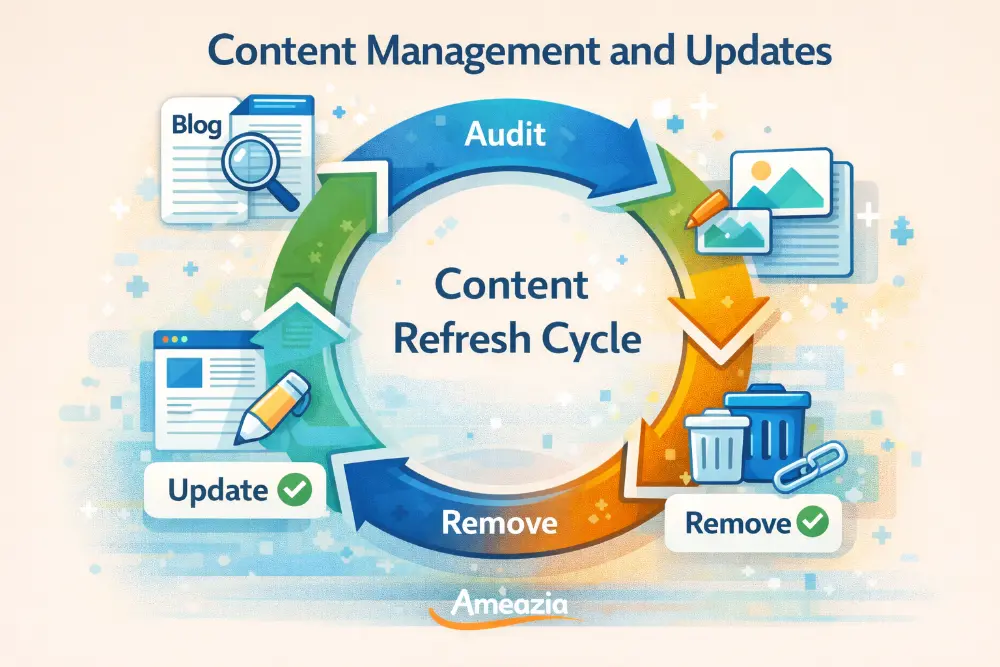
Content audit का मतलब है अपनी website के सभी pages और articles को check करना कि वे relevant और updated हैं या नहीं। यह अपने wardrobe की तरह है – हर साल purane कपड़े निकालने होते हैं।
Website Maintenance में हर 3-4 महीने में content audit करें। Check करें कि कौन से pages सबसे ज्यादा visitors attract करते हैं, कहां bounce rate high है और कौन सा content outdated है। उदाहरण के लिए, अगर आपकी site पर 2020 के COVID guidelines हैं तो उन्हें update या remove करें। Indian context में यह और भी important है क्योंकि rules और regulations frequently बदलते रहते हैं – GST rates, government schemes या local market trends.
4.2 Broken Link Checking and Repair
Broken links यानी वे links जो काम नहीं करते और “404 Error” दिखाते हैं। यह वैसा है जैसे आप किसी restaurant का address follow करें और वहां पहुंचकर पता चले कि वह बंद हो गया है। Frustrating, right?
Website Maintenance में broken links को fix करना बहुत जरूरी है। Google भी broken links वाली websites को पसंद नहीं करता। Free tools जैसे Broken Link Checker use करें जो automatically सभी links check करता है। अगर कोई link broken है तो उसे सही link से replace करें या remove करें। यह विशेष रूप से blog posts और articles में important है जहां आपने external websites को link किया हो।
4.3 Media Library Management
Media library में आपकी सभी images, videos और files होती हैं। समय के साथ यह library cluttered हो जाती है जैसे photo gallery में duplicate और blurry photos.
Website Maintenance करते समय media library को organize रखें। Unused images delete करें, duplicates remove करें और files को proper folders में रखें। यह आपकी hosting space बचाता है और media को find करना easy हो जाता है। WordPress Media Library Folders जैसे plugins से यह काम आसान हो जाता है। जैसे आप अपने phone की gallery clean रखते हैं वैसे ही website की media library भी organized होनी चाहिए। यह especially e-commerce sites के लिए important है जहां हजारों product images होती हैं।
4.4 Blog and News Section Maintenance
अगर आपकी website पर blog या news section है तो उसे regularly update करना Website Maintenance का important part है। Outdated blog वाली website ऐसी है जैसे newspaper में पिछले महीने की news छपी हो।
हर हफ्ते या महीने new content publish करें। Indian festivals, local events और trending topics पर लिखें। उदाहरण के लिए, Diwali season में offers के बारे में, budget time पर tax-related articles या IPL के time पर relevant content। Old articles को भी update करते रहें – जैसे “2024 की best strategies” को “2026 की best strategies” में convert करें। Fresh content से Google ranking improve होती है और visitors बार-बार आते हैं।
5. Technical Website Maintenance Tasks
5.1 Website Backup Solutions
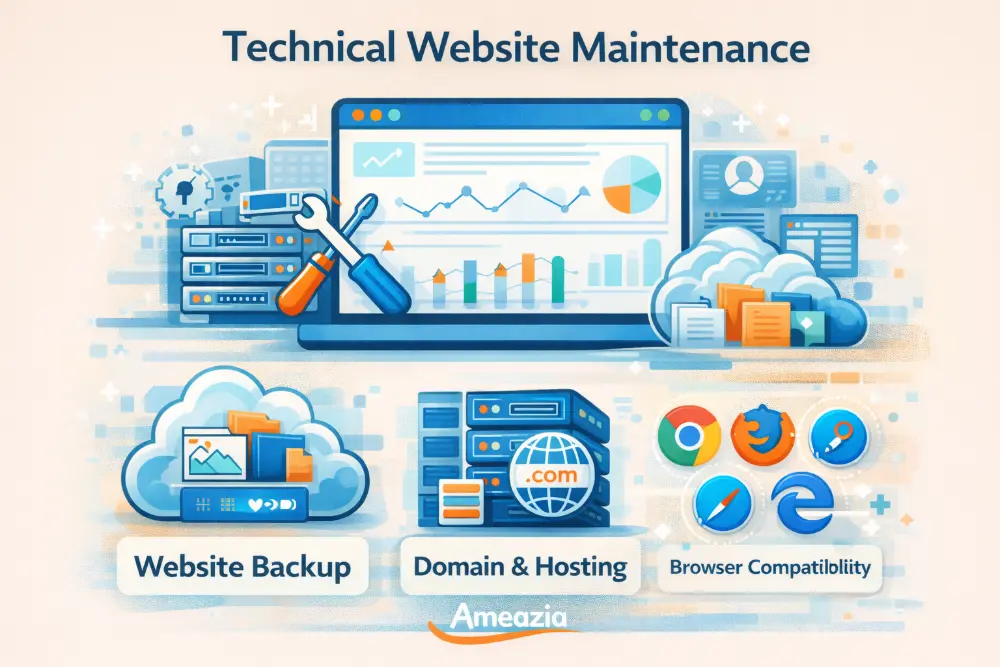
Backup आपकी website की copy है जो emergency में काम आती है। यह life insurance की तरह है – आशा है कि जरूरत न पड़े, लेकिन होनी चाहिए। अगर आपकी website hack हो जाए, crash हो जाए या कोई technical issue आए, तो backup से सब कुछ restore कर सकते हैं।
Website Maintenance में daily automatic backups set करें। UpdraftPlus या BlogVault जैसे plugins use कर सकते हैं जो backups को Google Drive या Dropbox में store करते हैं। Backups को अलग location पर रखें – सिर्फ hosting server पर नहीं। यह वैसा है जैसे आप important documents की photocopy घर और bank locker दोनों में रखते हैं। Indian businesses के लिए यह critical है क्योंकि data loss से business पूरी तरह रुक सकता है और customers का trust खो सकता है।
5.2 Domain and Hosting Management
Domain आपकी website का address है (जैसे yoursite.com) और hosting वह जगह है जहां website रहती है। दोनों को manage करना Website Maintenance का part है।
Domain renewal date track करें – अगर domain expire हो गया तो website down हो जाएगी। यह ऐसा है जैसे आपका phone number expire हो जाए और कोई call न कर पाए। Hosting plan भी check करें – क्या enough space है, bandwidth कैसी है, uptime guarantee क्या है। Indian hosting providers जैसे BigRock या HostGator India अच्छे options हैं क्योंकि local support मिलती है। अगर traffic बढ़ रहा है तो hosting upgrade करें। Cheap hosting से बचें जो slow performance और frequent downtimes देती हैं।
5.3 Mobile Responsiveness Testing
भारत में 80% लोग mobile से internet use करते हैं। अगर आपकी website mobile पर सही से नहीं दिखती तो आप बहुत सारे customers खो रहे हैं। यह वैसा है जैसे आपकी दुकान का entrance इतना छोटा हो कि लोग अंदर ही न आ सकें।
Website Maintenance में regular mobile testing करें। अपनी site को different phones पर खोलें – Android और iPhone दोनों पर। Text readable है? Buttons click करना easy है? Forms भरना simple है? Google Mobile-Friendly Test tool use करें। अगर issues हैं तो responsive theme use करें। Flipkart और Amazon जैसी बड़ी companies अपनी mobile experience पर बहुत focus करती हैं क्योंकि वे जानती हैं यही future है।
5.4 Browser Compatibility Checks
लोग different browsers use करते हैं – Chrome, Firefox, Safari, Edge. आपकी website सभी पर सही दिखनी चाहिए। यह TV channels की तरह है – सभी TV sets पर clearly दिखना चाहिए।
Website Maintenance करते समय अपनी site को कम से कम 3-4 major browsers पर test करें। कभी-कभी कुछ features एक browser में काम करते हैं दूसरे में नहीं। BrowserStack जैसे tools से आप multiple browsers और devices पर एक साथ test कर सकते हैं। भारत में Chrome सबसे popular है लेकिन बहुत से लोग UC Browser या Opera Mini भी use करते हैं खासकर tier 2 और tier 3 cities में। हर browser पर अच्छा experience देना जरूरी है।
6. SEO Maintenance for Better Rankings
6.1 Regular SEO Audits
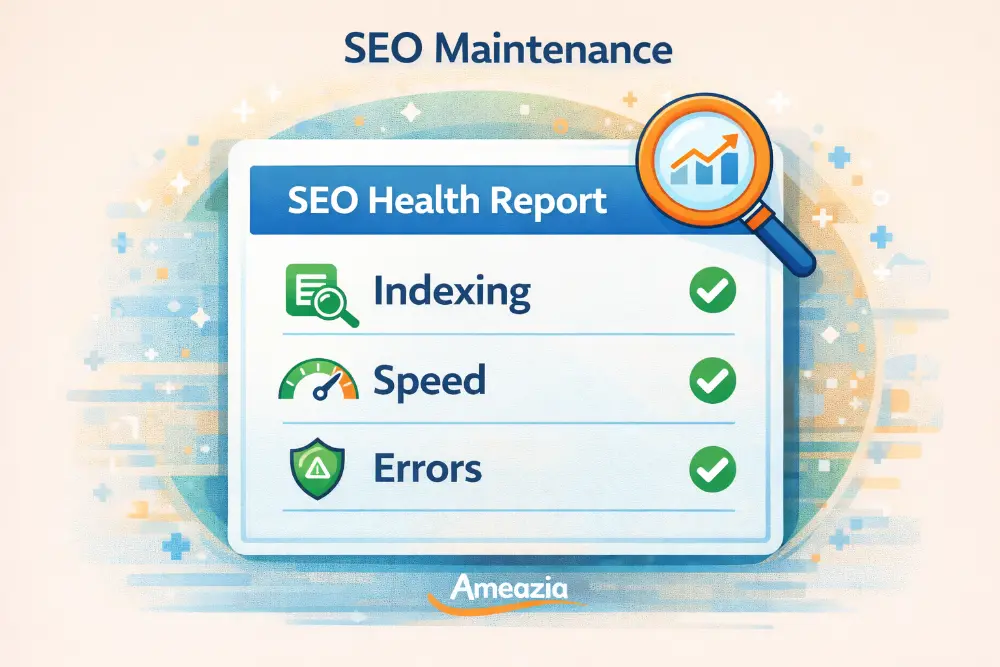
SEO audit का मतलब है अपनी website को Google की नजर से देखना। यह health checkup जैसा है – पता चलता है कि सब कुछ सही है या कुछ improve करना है।
Website Maintenance में monthly SEO audit करें। SEMrush या Ahrefs जैसे tools use कर सकते हैं (paid हैं) या free Google Search Console भी काफी informative है। Check करें – कौन से keywords पर rank कर रहे हैं, traffic कहां से आ रहा है, कौन से pages अच्छा perform कर रहे हैं। Indian market के लिए local keywords भी target करें जैसे “Mumbai में best CA services” या “Delhi NCR में website development”. Technical errors जैसे crawl issues, broken links या duplicate content को fix करें।
6.2 XML Sitemap Updates
XML sitemap एक map है जो Google को बताता है कि आपकी website पर कौन-कौन से pages हैं। यह city का map जैसा है जो visitors को सभी important places दिखाता है।
Website Maintenance में sitemap को regularly update रखें। जब भी नया page या blog post publish करें, sitemap में automatically add हो जाना चाहिए। Yoast SEO या Rank Math plugins यह automatically कर देते हैं। Sitemap को Google Search Console में submit करें ताकि Google को पता चले कि नया content आया है। यह खासकर news websites या frequently updated blogs के लिए important है। एक सही sitemap से आपके pages जल्दी index होते हैं और Google search results में दिखते हैं।
6.3 Analytics and Search Console Monitoring
Google Analytics और Search Console आपको बताते हैं कि आपकी website पर क्या हो रहा है – कितने visitors आ रहे हैं, कहां से आ रहे हैं, कितना समय spend कर रहे हैं और कहां problems हैं। यह CCTV cameras की तरह है जो दुकान में हर activity monitor करते हैं।
Website Maintenance में weekly इन tools को check करें। देखें कि traffic बढ़ रहा है या घट रहा है। High bounce rate वाले pages को improve करें। Search Console में errors को fix करें। Indian businesses के लिए यह data gold है – पता चलता है कि customers क्या search कर रहे हैं, कौन से products popular हैं और कहां marketing efforts लगाने हैं। Free होने के बावजूद ये tools बहुत powerful हैं।
6.4 Meta Tags and Schema Markup Updates
Meta tags वे descriptions हैं जो Google search results में दिखते हैं। Schema markup एक special code है जो Google को बताता है कि आपके content में क्या है – product, review, recipe या event.
Website Maintenance में meta titles और descriptions को optimize रखें। हर page का unique और attractive meta description हो जिसमें relevant keywords हों। Schema markup add करें – अगर recipe blog है तो recipe schema, अगर local business है तो local business schema. यह वैसा है जैसे products पर labels होते हैं जो ingredients और benefits बताते हैं। Google Rich Results Test tool से check करें कि schema सही implement हुआ है या नहीं। Indian businesses के लिए local business schema बहुत useful है – इससे Google Maps और local search में visibility बढ़ती है।
7. Creating Your Website Maintenance Schedule
7.1 Daily Maintenance Tasks Checklist
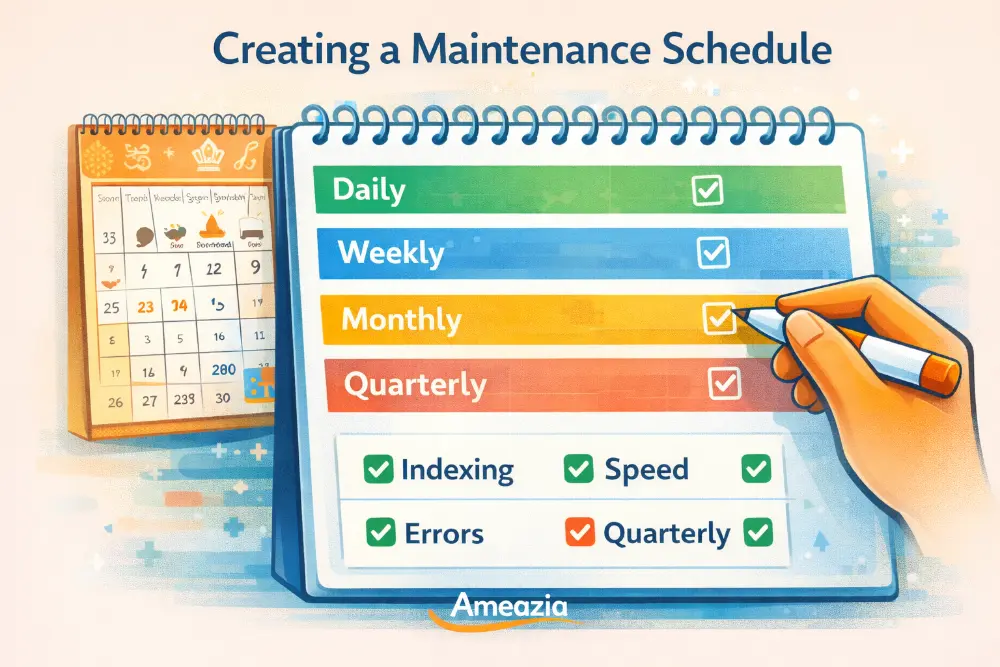
Daily tasks वे छोटे-छोटे काम हैं जो रोज करने से आपकी website healthy रहती है। यह morning में brush करने की तरह है – daily routine.
हर दिन website open करके check करें कि सब कुछ सही से load हो रहा है। Comments में spam तो नहीं आई? Broken links का alert तो नहीं? Backup ठीक से हुआ या नहीं? Website speed सही है? यह सिर्फ 5-10 minutes का काम है। अगर आपकी e-commerce site है तो product pages, payment gateway और checkout process daily check करें। Website Maintenance में consistency बहुत important है – small daily efforts बड़ी problems को रोक देते हैं। जैसे restaurant में daily kitchen cleaning होती है, वैसे ही website की daily monitoring जरूरी है।
7.2 Weekly Maintenance Routine
Weekly tasks थोड़े detailed होते हैं। हफ्ते में एक बार proper Website Maintenance के लिए 30-45 minutes निकालें।
सभी plugins और themes update करें। Security scan चलाएं। New comments approve या delete करें। Blog posts के लिए ideas plan करें। Analytics check करके देखें कि पिछले हफ्ते का performance कैसा रहा। Social media posts schedule करें। Newsletter भेजें अगर email marketing करते हैं। यह weekly grocery shopping की तरह है – regular करेंगे तो कभी कमी नहीं होगी। Indian businesses के लिए weekend यह काम करना अच्छा है जब traffic थोड़ा कम होता है।
7.3 Monthly Deep Maintenance
Monthly maintenance में गहराई से website को check करते हैं। यह car की monthly servicing जैसा है।
पूरी website को browse करें और broken elements देखें। Database cleanup करें। Detailed analytics report बनाएं। SEO performance review करें। Competitors की websites check करें कि वे क्या नया कर रहे हैं। Content calendar अगले महीने के लिए plan करें। Hosting और domain expiry dates check करें। Website Maintenance में यह deep dive important है क्योंकि small issues detect हो जाते हैं before they become big problems. Local SEO के लिए Google My Business listing भी update करें। Testimonials और reviews collect करके website पर add करें।
7.4 Quarterly Strategic Reviews
हर 3 महीने में एक बड़ा strategic review करें। यह business quarterly meeting की तरह है।
Website की overall performance analyze करें – traffic trends, conversion rates, popular pages. क्या goals achieve हुए? Design refresh करने की जरूरत है? New features add करने हैं? Security audit complete करें। Competitor analysis detailed करें। Budget plan करें अगले quarter के लिए। Website Maintenance plan को revise करें based on results. Indian market में festivals और seasons का बहुत impact होता है, इसलिए quarterly planning में इन्हें consider करें। Diwali, Holi, summer vacation – हर season के लिए strategy होनी चाहिए। Team के साथ meeting करें और improvements discuss करें।
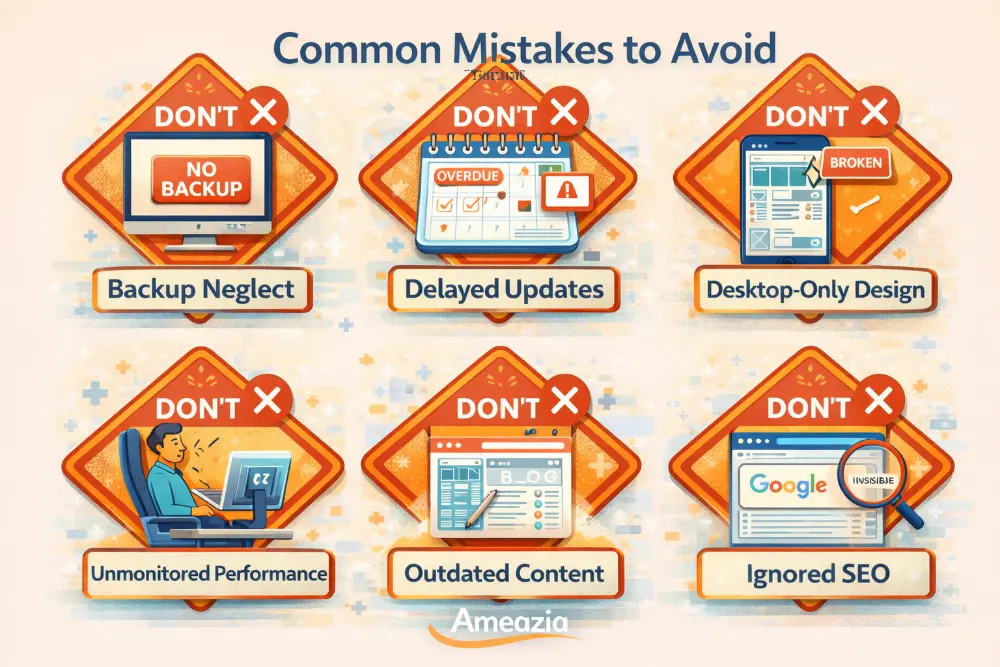
8. Common Website Maintenance Mistakes to Avoid
Website Maintenance में कुछ common mistakes हैं जो लगभग हर नया website owner करता है। इनसे बचना important है।
Neglecting Regular Backups: सबसे बड़ी गलती है backups न लेना। लोग सोचते हैं “मेरी website को कुछ नहीं होगा” लेकिन जब problem आती है तो बहुत देर हो चुकी होती है। यह insurance न लेने जैसा है।
Delaying Security Updates: Security updates को postpone करना खतरनाक है। “बाद में करूंगा” की attitude से websites hack हो जाती हैं। Updates आते ही install करें।
Ignoring Mobile Optimization: Mobile users को ignore करना बड़ी भूल है। भारत में majority mobile users हैं, इसलिए mobile experience perfect होना चाहिए।
Not Monitoring Website Performance: बहुत से लोग website बना देते हैं और फिर भूल जाते हैं। Regular monitoring न करना ऐसा है जैसे गाड़ी का meter कभी न देखना – पता ही नहीं चलेगा कि problem कब आई।
Forgetting About Content Updates: Old content वाली website dead website लगती है। Regular fresh content add करना जरूरी है।
Overlooking SEO Maintenance: SEO एक one-time activity नहीं है। Continuous effort चाहिए। Website Maintenance में SEO को भूलना मतलब Google से invisible हो जाना।
Conclusion
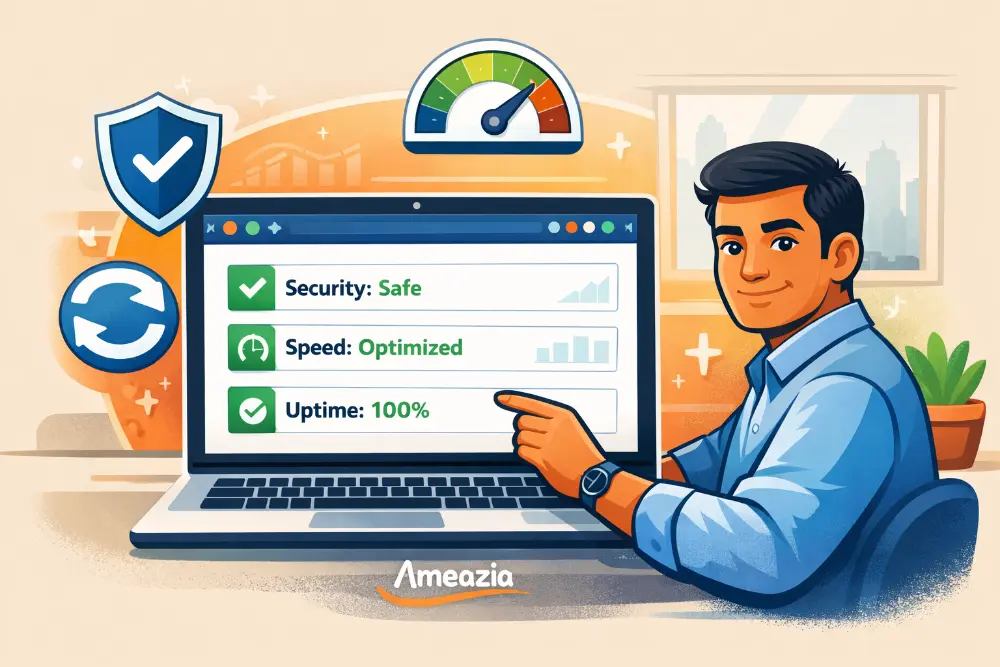
Website Maintenance 2026 में कोई optional activity नहीं है – यह necessity है। जैसे आप अपने business premises को साफ रखते हैं, staff को train करते हैं और customers को अच्छी service देते हैं, वैसे ही आपकी digital presence यानी website को भी maintain करना जरूरी है।
इस blog में हमने देखा कि Website Maintenance क्या है और इसके सभी important aspects कौन से हैं – security, performance, content, technical tasks और SEO. हमने एक practical maintenance schedule भी बनाया जो आप follow कर सकते हैं।
याद रखें, एक well-maintained website आपके business के लिए 24/7 काम करने वाला salesperson है। यह customers को attract करती है, trust बनाती है और sales generate करती है। Indian market में जहां competition बहुत है, एक fast, secure और updated website आपको competitors से आगे रखती है।
चाहे आप छोटा business चलाते हों या बड़ा, startup हो या established company, Website Maintenance को seriously लेना होगा। Regular maintenance से बड़ी problems से बचा जा सकता है, पैसे बचते हैं और customers happy रहते हैं। आज ही अपना maintenance schedule बनाएं और consistent रहें।
FAQs
1. How often should I perform website maintenance? | Website Maintenance कितनी बार करनी चाहिए?
Website Maintenance के different tasks different frequencies पर करने होते हैं।
Daily quick checks (5 minutes),
Weekly updates और backups (30 minutes),
Monthly deep cleaning (1-2 hours),
Quarterly strategic reviews करनी चाहिए।
Security updates तो immediately install करने चाहिए जैसे ही available हों। जैसे आप रोज दुकान खोलते समय check करते हैं कि सब ठीक है, वैसे ही website की daily monitoring जरूरी है। Complex websites को ज्यादा frequent maintenance चाहिए।
2. What is the cost of website maintenance in India? | भारत में Website Maintenance की cost क्या है?
भारत में Website Maintenance की cost ₹1,000 से ₹50,000 प्रति महीना तक हो सकती है। यह depend करता है website के size, complexity और services पर। Basic maintenance (backups, updates, security) के लिए ₹1,000-₹10,000 enough हैं। E-commerce या large business websites के लिए ₹20,000-₹50,000 तक लग सकते हैं। DIY approach से cost कम होती है लेकिन time और technical knowledge चाहिए। Professional agencies hire करने से peace of mind मिलती है।
3. Can I do website maintenance myself or should I hire professionals? | क्या मैं खुद Website Maintenance कर सकता हूं या professionals hire करूं?
यह depend करता है आपकी technical knowledge और available time पर। Basic tasks जैसे content updates, backups और plugin updates आप खुद कर सकते हैं – tutorials और tools available हैं। लेकिन complex tasks जैसे security issues, database optimization या custom coding के लिए professionals बेहतर हैं। एक hybrid approach भी अच्छी है – routine Website Maintenance खुद करें और technical problems के लिए expert hire करें। यह पैसे बचाता है और learning भी होती है।
4. What are the most important website maintenance tasks? | सबसे important Website Maintenance tasks कौन से हैं?
सबसे critical Website Maintenance tasks हैं:
(1) Regular backups – data loss से बचाव,
(2) Security updates – hacking से protection,
(3) Performance monitoring – speed और uptime check,
(4) Content updates – fresh और relevant information,
(5) Mobile optimization – mobile users के लिए।
इनमें से backups और security सबसे ज्यादा important हैं क्योंकि इनकी neglect से serious consequences हो सकते हैं। भारतीय businesses के लिए mobile optimization भी critical है क्योंकि majority traffic mobile से आता है।
5. How can I automate website maintenance tasks? | Website Maintenance tasks को automate कैसे करें?
बहुत से Website Maintenance tasks को automate किया जा सकता है। Automatic backup plugins (UpdraftPlus, BlogVault) daily backups ले सकते हैं। Security plugins (Wordfence, Sucuri) regular scans run करते हैं। Caching plugins automatically performance optimize करते हैं। Auto-update features enable करें WordPress core, themes और plugins के लिए। Monitoring tools (UptimeRobot) downtime alerts भेजते हैं। SEO plugins (Yoast, Rank Math) automatically sitemaps update करते हैं। Automation से time बचता है लेकिन complete automation पर depend न करें – manual checks भी जरूरी हैं।
Maintain Your Website with Ameazia
Website Maintenance एक ongoing process है जो समय, expertise और dedication मांगता है। अगर आप अपने business पर focus करना चाहते हैं और website की technical चीजों की tension नहीं लेना चाहते, तो Ameazia आपकी मदद कर सकता है।
Ameazia एक professional web services company है जो comprehensive Website Maintenance packages provide करती है। हमारी services में शामिल हैं:
- Daily security monitoring & updates
- Regular backups & disaster recovery
- Performance optimization & speed improvement
- Content management & SEO maintenance
- 24/7 technical support (Hindi और English में)
- Monthly detailed reports
हम Indian businesses को समझते हैं और local market के हिसाब से affordable packages offer करते हैं। चाहे आप एक small startup हों या established enterprise, हमारे पास हर budget के लिए solutions हैं।
आज ही contact करें और अपनी website को professional hands में safe रखें!
अपनी Website Maintenance की चिंता Ameazia को दें और आप अपने business को grow करने पर focus करें। हमारे experts से बात करने के लिए हमें visit करें।


